
Microsoft Copilot Training South Africa
You have Microsoft 365 Copilot – but employees are unsure where it genuinely saves time, or how far to trust what it produces.
This course is for your team if they:
- Spend hours tidying data and building reports in Excel.
- Struggle to keep up with email, Teams meetings and follow-up actions.
- Rewrite the same documents and summaries by hand.
- Accept Copilot’s answers without checking them against the source.
- Aren’t sure what company information Copilot should and shouldn’t use.
Microsoft Copilot Training South Africa helps corporate teams use Microsoft 365 Copilot and generative AI more productively, responsibly and confidently in everyday work.
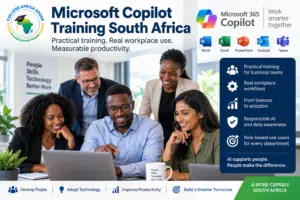
This practical one-day corporate programme (09h00–15h00) helps everyday business users apply Microsoft Copilot and generative AI to real workplace tasks, working through one connected business case from untidy data to validated reports and follow-up communication.
Delegates learn how to work more efficiently, improve processes, analyse information, save time and produce reliable workplace outputs that are validated against the original source data.
Delivered by College Africa Group (CAG), the course is designed for non-technical business users. It combines short demonstrations with guided exercises and practical workplace examples rather than concentrating on software features alone.
Core principle: AI produces language, not truth. Copilot can help people work faster, but employees remain responsible for checking, approving and using its output appropriately.
Source Data → Process → Required Output → AI → Validate Against the Source
Start with the source. Check the process. Use AI with purpose.
Download the Microsoft Copilot Training Course OutlineView the one-day programme, learning outcomes and practical course structure.
Practical Microsoft Copilot Training for Business Teams
Giving employees access to Microsoft Copilot does not automatically improve productivity. They need to understand which tasks are suitable, how to provide useful instructions, what source information to use and how to validate the result.
Our Microsoft Copilot Training South Africa programme connects Copilot to work employees already perform. It can support organisations introducing Copilot as well as teams that already have licences but are not yet seeing sufficient practical value.
Our Employees Have Copilot Licences but Barely Use Them. What Should We Do?
Low Copilot adoption is rarely a licence problem. Usually employees do not know where Copilot fits into their own work, or they do not trust its answers. Microsoft Copilot Training South Africa addresses both: delegates practise on realistic Excel, Word, Outlook and Teams tasks, learn to check every output against the source, and leave with one task from their own work mapped to the Source-to-Output Method.
Where the bigger question is which tasks are worth using AI for at all, AI Workflow Discovery identifies the repetitive work and bottlenecks first, so training is aimed at the tasks that matter.
Already paying for Copilot but adoption is low? Tell us which teams and workplace tasks you want to improve.
What the Microsoft Copilot Course Covers
Microsoft Copilot and Generative AI in Plain English
- What Microsoft Copilot is and where it fits into Microsoft 365
- What generative AI can and cannot do reliably
- Hallucinations, confidently incorrect answers and common limitations
- Choosing useful workplace tasks instead of using AI without a clear purpose
- Maintaining appropriate human judgement and accountability
Responsible AI, POPIA and Workplace Validation
- Protecting confidential, personal and sensitive information
- Understanding data awareness and organisational responsibilities
- Checking facts, calculations, assumptions and source information
- Recognising when Copilot should not be used
- Applying company policies and appropriate human approval
Practical Prompting for Business Users
Prompting is taught as a short, practical skill rather than a lengthy theoretical subject. Delegates learn how to state the task, provide relevant context and source information, define the required output and improve the result through follow-up instructions. It is introduced in the first exercise and used in every exercise that follows.
Hands-On Copilot and Excel Workshop
Excel takes about half of the course and is completed before lunch, because many workplace decisions begin with captured information, lists, reports and spreadsheets.
The focus is not advanced accounting. Delegates work through one connected business case, a fictional company called Sunrise Trading, where each exercise produces the source for the next. Solution files are provided after each exercise so that every delegate can continue.
- Exercise 1: Clean and structure captured orders. Turn an untidy order list into a proper Excel table and identify blanks, duplicates and inconsistencies.
- Exercise 2: Turn the orders into a dashboard. Build calculations, summaries and charts, write concise management commentary, and find an AI result that does not match the source.
- Exercise 3: Compare orders with deliveries. Find outstanding orders, unmatched deliveries and short deliveries, then verify every exception using Excel lookups.
The comparison method in Exercise 3 works for any two lists a team checks by hand: budget against actual, this month against last month, or two staff or price lists.
This workshop also reinforces an important business lesson: if the source information is unreliable or the process is broken, adding AI will not correct the underlying problem.
Organisations requiring broader spreadsheet skills development can view our Excel Training South Africa programmes.
Microsoft 365 Copilot Corporate Training Programme
Microsoft Copilot Across Everyday Workplace Tasks
The afternoon applies the same method to communication and documents. It works mainly in Word, with shorter Outlook and Teams activities, and the delivery exceptions found in the Excel workshop carry into the afternoon exercises. A live Teams environment is not required.
Communication and Meeting Follow-Up
- Summarising a meeting transcript, supplied as a Word document, into a clear summary
- Extracting decisions, owners, due dates and open questions, with missing dates marked TBC
- Drafting a professional customer email and an internal follow-up with Copilot in Outlook or Word
- Checking every name, commitment and date against the meeting summary
Where Copilot in Teams is available, the facilitator demonstrates the same task on a recorded meeting.
Document Comparison: Policies, Tenders and Contracts
Many workplace tasks involve checking what changed between two versions of a document. Delegates compare a current and a revised leave policy in Word, using the same method they applied to two spreadsheets in the morning.
- Identify every material change between the two versions
- Rank the five most important changes
- Show the source reference, the change, its impact and the required action
- Separate confirmed facts from assumptions or missing information
- Validate the comparison against the original documents
Sales, procurement and bid teams can apply the same method to a tender specification and a previous tender response.
How Does the Copilot Training Day Work?
The course follows one practical business case from start to finish rather than a list of separate features.
- One business case: all exercises use Sunrise Trading, a fictional company, so no confidential workplace information is needed
- Concepts built in, not lectured: prompting, hallucinations and validation are introduced at the exercise where they are needed and reinforced throughout the day
- Solution files: a completed solution is available after each exercise, so no delegate is left behind
- Own-work application: each delegate maps one task from their own work to the Source-to-Output Method before leaving
The day runs from 09h00 to 15h00, including breaks.
Who Should Attend Microsoft Copilot Training?
This course is suitable for everyday Microsoft 365 users, including:
- Managers, supervisors and executives
- Finance, HR, administration and operations teams
- Project, sales and customer-facing teams
- Employees working with Excel, Word, Outlook or Teams
- Organisations introducing Microsoft Copilot or improving employee adoption
- Teams requiring practical, responsible and POPIA-aware AI use
No programming or technical AI experience is required. Basic familiarity with Microsoft 365 applications is helpful.
Microsoft Copilot Training Learning Outcomes
By the end of the programme, participants should be able to:
- Explain the purpose and limitations of Microsoft Copilot and generative AI
- Use a clear prompting method for common workplace tasks
- Start with suitable source data and define the required output
- Use AI assistance to analyse information and improve productivity
- Apply Copilot to selected Microsoft 365 activities
- Recognise hallucinations and unsupported conclusions
- Protect sensitive information and apply responsible-use principles
- Validate AI-generated outputs against the original source
- Identify practical opportunities to improve their own work
Corporate Delivery Across South Africa
Microsoft Copilot Training South Africa is available for private corporate groups. Training can be delivered onsite or live online and adapted to the organisation’s team, licence access and workplace priorities.
For hands-on participation, delegates should have access to the relevant Microsoft Copilot capabilities.
Where access differs across the group, selected activities can be demonstrated or completed using suitable supplied examples. Features may vary according to Microsoft licensing, tenant configuration, application version and product updates.
Where agreed in advance, CAG can incorporate anonymised workplace examples. More detailed analysis of business processes may be handled through AI Workflow Discovery South Africa.
Microsoft 365 Copilot Corporate Training Programme
Can Copilot Training Be Tailored to Finance, HR or Other Teams?
Yes. The core course uses the shared Sunrise Trading case, but College Africa Group can tailor exercises to a business function such as finance, HR, operations, sales or executive support, using anonymised examples agreed beforehand. See AI Training by Business Function and Role for function-based options.
Why Choose College Africa Group?
- Corporate training experience since 2003
- Practical Microsoft 365, Excel and workplace AI expertise
- South African business and POPIA-aware context
- Hands-on exercises based on realistic workplace activities
- Training for non-technical business users
- Onsite and instructor-led virtual delivery
- Customisation for departments and organisational priorities
Better Processes. Stronger Skills. Smarter AI.
Book Microsoft Copilot Training South Africa
Tell us your team size, current Copilot access, preferred delivery method and the workplace outcomes you want to improve.
Phone: 083 778 4903
Email: sales@collegeafricagroup.com
Request a Quotation
WhatsApp CAG
College Africa Group provides user training and workplace productivity consulting. Microsoft licensing, tenant administration, security configuration and technical deployment remain the responsibility of the client’s IT team or Microsoft partner.
Related AI and Microsoft Training
- ChatGPT for Business Course South Africa
- AI in the Workplace Training
- AI Consulting South Africa
- AI and Data Analytics Course Using Excel, Copilot and ChatGPT
FAQs – Microsoft Copilot Training South Africa
What is included in Microsoft Copilot Training South Africa?
The one-day programme (09h00–15h00) covers Microsoft Copilot and generative AI fundamentals, practical prompting, responsible use, POPIA awareness and validation. Delegates work through one connected business case: about half the day is a hands-on Excel workshop, followed by meeting follow-up, email and document comparison in Word, Outlook and Teams.
How long is the Microsoft Copilot course?
The course is one day, from 09h00 to 15h00 including breaks. About half of the practical time is spent in Excel.
Is this Microsoft Copilot course suitable for beginners?
Yes. It is designed for everyday business users. Delegates do not need programming, technical AI or Microsoft 365 administration experience.
Is the training practical?
Yes. The programme combines concise explanations and demonstrations with guided exercises, supplied workplace examples and opportunities for delegates to apply the methods themselves.
Does the course include Microsoft Copilot in Excel?
Yes. Excel is the main practical workshop. Activities can include importing and structuring information, dashboards, comparisons, formulas, analysis and validation against the original data.
Does the course cover Word, Outlook and Teams?
Yes. The afternoon works mainly in Word, with shorter Outlook and Teams activities on meeting summaries, follow-up emails and document comparison. A live Teams environment is not required, and PowerPoint can be demonstrated where time allows. The exact experience depends on the organisation’s Microsoft 365 access and configuration.
Does Microsoft Copilot training include POPIA and responsible AI?
Yes. Delegates learn about sensitive information, AI limitations, hallucinations, validation, human oversight and organisational accountability. The course does not replace the organisation’s legal, compliance or information-security advice.
Can the training use our workplace examples?
Yes, where this is agreed beforehand and suitable information is provided. Examples should be anonymised or approved for training use. More extensive process analysis may require a separate workflow discovery engagement.
Do delegates need a Microsoft Copilot licence?
Delegates need access to the relevant Copilot capabilities for full hands-on participation. If access is unavailable or differs between users, CAG can discuss an appropriate demonstration or awareness format.
Can you help if our Copilot licences are underused?
Yes. Most underuse comes from employees not knowing where Copilot fits into their daily work. The course connects Copilot to practical Excel, Word, Outlook and Teams tasks, and can be tailored to your team’s roles and workflows.
Is Microsoft Copilot Training available onsite and online?
Yes. College Africa Group delivers corporate Microsoft Copilot training onsite and through live instructor-led virtual sessions across South Africa.